Software for People
Projects
01: Webzine
Choose three texts that are connected by a theme. At least one should come from an offline source, which means you are publishing this text online for the first time. For this project, we're only working with text–remove any images or other content.
We'll work on this project iteratively, by making five versions of each text. Each version will use a different combination of HTML elements and CSS properties. For each level listed below, you'll make one version of each text. At the end, you'll create a navigation system to connect your favorite versions.
Requirements
- 5 sketch versions of each texts, one for each level explained below. The goal with the sketch versions is to experiment with HTML and CSS. What kinds of layouts, type treatments, and experiences can you achieve with limited technical range?
- The final webzine should include at least one version of each text, and a navigation system to move between them.
Learning objectives
- Getting to know HTML and CSS
- Experimenting with typography and graphic design in the browser.
- Thinking about how users navigate a webpage and between pages on a website.
Milestones
- Level 1: HTML
Make an HTML page for each text using these tags. You'll have three webpages for level 1.-
<p> -
<br> -
-
- Level 2: HTML
Make an HTML page for each one of your three texts using only these tags.-
<div> -
<span> -
<p> -
<a> -
<h1><h2>,<h3>,<h4>,<h5>,<h6> -
<em>,<b>,<i> -
<ul>,<ol>,<li>
-
- Level 3: CSS Typography
Make a version of each text using any HTML tags, but only the following CSS properties- font-style
- font-weight
- font-size
- font-family
- text-align
- text-transform
- line-height
- letter-spacing
- Level 4: CSS Layout
Make a version of each text using any HTML tags and only the following CSS properties- padding
- border
- margin
- position
- display
- float
- top
- right
- bottom
- left
- height
- width
- Level 5: Anything goes
Make a version of each text using any CSS property + Any HTML element. - Navigation system and final draft
Put together a final version of your webzine. This might include every version of each text, or only one version of each text. You could include a cover page, an about page, or additional content.
You should include:- A title for your webzine. Use the
<title>tag! - A favicon
- A way to move between texts.
- A title for your webzine. Use the
02: Billboard

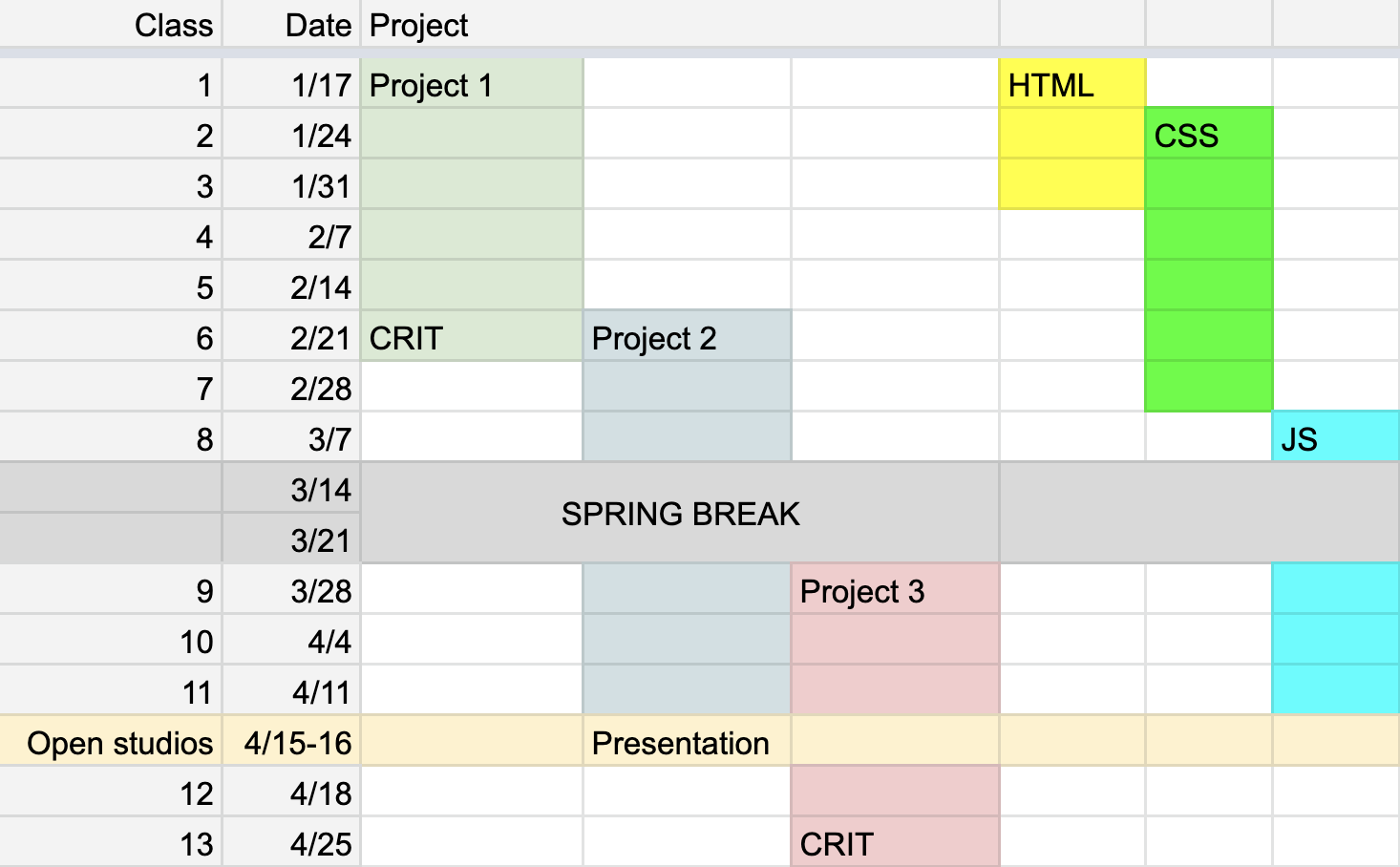
In pairs, make a website that serves as a public-facing billboard for a community of people you consider yourself a part of. The billboard should show original content made by that group. Find a way to install the billboard in a gallery. We'll show this website at the 32 Edgewood Gallery during open studios.
Requirements & learning objectives
- Billboard should be designed for a specific audience. How do you identify and account for their needs?
- Display content gathered from other people. What is your role as editor, curator, moderator of this content?
- Physical installation. Website should be meaningfully installed in physical space:projected on the wall or another surface, displayed on a monitor, accessed by users on their own devices, or shown some other way. How can you extend your design system from screen to environment?
- Change over time. We'll discuss using time-based techniques in the browser, including CSS animations, javascript timing functions, and passive inputs like date.
Milestones
- Concept + Sketch
- Find your partner for this project.
- Propose two different ideas for your billboard. Each idea should include:
- a specific audience
- the content you will collect from this audience
- a visual sketch of the website
- an idea for the installation
- First draft
- All content gathered.
- A coded website that serves as a first draft/proof of concept for your billboard.
- An updated sketch for the physical installation.
- Presentation over open studios - 4/15
03: Website for one
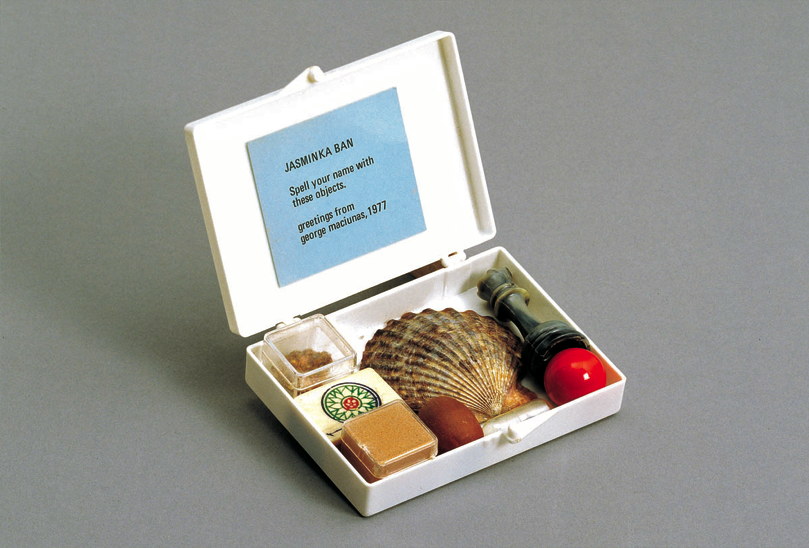
Make a website that is designed for one specific person.
Identify who you'd like to work with/for: you could choose somebody you know personally (and even work with them on the development of this project). Or, you could design the site as a gift/fan project for somebody, like a devotional website. You do not need to know this person, and they do not need to be alive; but you should choose somebody you are very familiar with.
You could think of your wesbite as a tool for this person, as a form of promotion, as a digital portrait, or otherwise. The important thing is that you identify the needs of this user specifically.
Requirements
- designed for a mobile device
Learning objectives
- Creating a surprising UX by identifying the needs of a single named user.
- Visual and interaction design for mobile device.
Milestones
- Visual sketch - 4/4
- First draft in code - 4/18
- Final review - 4/25
04: Topics presentations
Each student will be responsible for a 10–15 minute presentation on a particular topic during the course of the class. In the presentation, you should introduce the topic with at least 5 relevant web projects, artists, or movements. Create an Are.na channel for your presentation.
See a list of topics at the link below, with an initial set of artists, designers, or web projects. These are meant as a starting point for your research. You should also find works outside of the list and present them.
List of presentation topics